Blog/Guides
Top 7 Autonomous Customer Service Platforms
Seven autonomous customer service platforms compared on what they finish alone, what they publish for pricing, and who each one fits.
Oct 7, 2026 · 21 min read
Every customer service team hears the same requests all day: where is my order, can you change this, who handles my refund. Most AI tools can answer the first one. Far fewer can do the second, which means changing something in your calendar, order system, or billing records, and that is where most pilots quietly stall.
An autonomous customer service platform is meant to close that gap. It resolves the request itself and brings in a person only when a person has to decide. We ranked the answer-first tools in our comparison of AI customer service chatbots with real G2 ratings. This list covers the platforms that try to finish the job. Every one except LLDTEK shows its pricing in public.
Quick answer
Which platform should you choose?
Bookings and appointment scheduling: LLDTEK, for businesses that need agents to manage bookings and recover missed appointments.
Existing helpdesk or CRM workflows: Fin by Intercom for support teams, or HubSpot Customer Agent if your customer data and workflows already run on HubSpot.
Shopify stores: Gorgias AI Agent for automating order inquiries, returns, and cancellations.
Salesforce Service Cloud: Agentforce for teams building agents around their existing Salesforce data and workflows.
Custom AI agents: YourGPT for teams that want to build, configure, and deploy agents for customer service, sales, and operational tasks.
AI phone agents billed by the minute: Retell AI for businesses building programmable agents for inbound and outbound calls.
An autonomous AI agent must answer, act, and complete the job
Not every chatbot is an AI agent. To qualify as autonomous, a platform needs to do three things:
Answer accurately. It uses your business information to respond in the customer's language and on their preferred channel.
Take action. It changes something in a connected system, such as rescheduling an appointment, issuing a refund, or updating a customer record. Collecting a lead is not the same as booking an appointment. As explained in this guide to AI receptionists vs. chatbots for bookings, an agent needs access to real availability to confirm a booking.
Complete the request or hand it over. It recognizes when the task is finished. If it cannot resolve the issue, it transfers the conversation to a human with the relevant context intact.
Most platforms can answer questions. The real differences emerge when they need to take action and handle a request through to completion.
Before choosing a vendor, ask them to demonstrate all three capabilities using your own data and real business scenarios.
The 7 platforms at a glance: who each one fits and what it costs
# | Platform | Best for | Channels | Published pricing | Rating |
|---|---|---|---|---|---|
1 | LLDTEK | Appointment-based and local service businesses that want managed AI agents for bookings and scheduling | Voice, SMS, web | Custom pricing, quoted after a demo | 5/5 |
2 | YourGPT | Teams that want to build and deploy AI agents for customer service, sales, and operational automation | Web, WhatsApp, Instagram, Slack, voice, and more | $39–$349/month, billed annually | 4.7/5 |
3 | Fin by Intercom | Support teams that want AI resolution within an existing helpdesk and ticketing workflow | Chat, email, voice, social, Slack | $0.99 per outcome, plus applicable helpdesk costs | 4.5/5 |
4 | HubSpot Customer Agent | Teams that want AI customer service grounded in their HubSpot CRM and customer data | HubSpot Service Hub channels | $0.50 per resolved conversation, plus applicable Service Hub costs | 4.4/5 |
5 | Gorgias AI Agent | Shopify and e-commerce brands automating order inquiries, returns, and cancellations | Email, chat, SMS | Approximately $0.90 per resolved interaction on applicable plans | 4.6/5 |
6 | Salesforce Agentforce | Enterprises building agents around Salesforce CRM data, Service Cloud, and existing business workflows | Salesforce and configured connected channels | $2 per conversation on applicable plans, or Flex Credits | 4.3/5 |
7 | Retell AI | Businesses building programmable AI phone agents for inbound calls and outbound campaigns | Phone | Approximately $0.07–$0.31/minute, depending on configuration and usage | 4.7/5 |
I checked prices and review counts in September and October 2026. Vendors reprice often, so confirm before you budget.
Start with the work you need the agent to handle
Before comparing platforms, identify the five types of requests your business receives most often. Then group them by the outcome each request needs.
Requests that end with a booking. Missed calls after business hours, cancellations that leave empty slots, and customers who need to book their next visit. See how agents can handle an after-hours call and book an appointment, recover cancelled appointments, and rebook customers for their next visit.
Requests that end with a resolution. Order status, password resets, refunds, and billing questions. The agent needs access to the right systems to answer questions and complete actions, not just explain what customers should do.
Requests that require human judgment. Disputes, claims, and sensitive cases where a wrong decision could be costly. The agent needs clear limits and a reliable way to hand the case to a person.
Once you know which outcomes matter most, ask every vendor the same five questions:
Where does the agent get its information? Does it connect to the system that holds the latest, authoritative data, such as your calendar, POS, helpdesk, or CRM?
What actions can it take on its own? Can it issue a refund, change a booking, or update a customer record? Which actions require approval?
How does human handoff work? Who receives the case, what information is passed along, and can they take over without asking the customer to repeat everything?
How does it perform in real operating conditions? Can it handle requests after hours, over the phone, and in the languages your customers speak?
How does the vendor measure resolution? What counts as a resolved request, and how is that outcome verified?
These answers will tell you more than a feature checklist. The right platform is the one that can reliably complete your most common tasks, work within your business rules, and know when a person needs to take over.
How we selected these seven platforms and what we left out
To make the list, a platform had to handle customer requests autonomously by default and provide enough public documentation to evaluate its capabilities. It also had to be accessible to small and midsize businesses without requiring a six-figure contract.
The ranking prioritizes businesses where requests often end in a booking, reservation, or scheduled job. If your team mainly handles support tickets, Fin by Intercom and HubSpot Customer Agent may be better starting points.
We deliberately left out two categories:
Enterprise-focused AI agents. Sierra, Decagon, and Ada offer solutions for larger customer service operations, but their pricing is not publicly listed and their sales-led approach may not suit smaller teams. Businesses handling hundreds of thousands of conversations annually should consider evaluating them.
Copilots that assist human agents. These tools can draft replies and suggest actions, but a human still needs to complete the work. We focused on platforms designed to handle requests autonomously, rather than tools that primarily help people respond faster.
The 7 platforms, one by one: what each finishes alone and where it stops
1. LLDTEK
Best for: Salons, clinics, restaurants, fitness studios, and home-service companies where the request ends with a slot on the calendar.
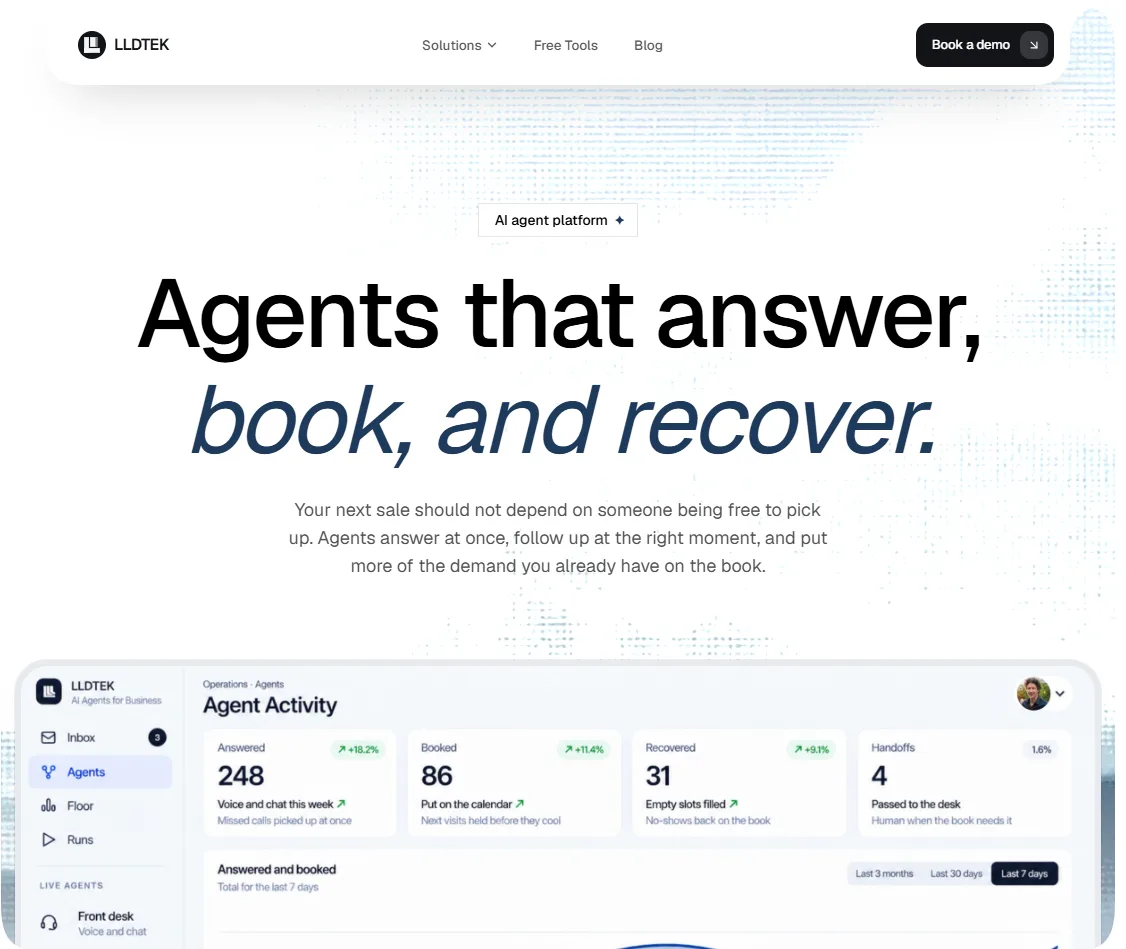
LLDTEK is an AI agent platform that sits beside the calendar or POS you already run, such as Square, Vagaro, or Booksy. Five agents each own one job. The front desk answers calls, texts, and web enquiries and books whoever is actually free. Recovery texts the waitlist when a slot opens. Rebooking offers the next visit while the context is fresh. Reviews asks for one Google review in the customer's language. A live floor board shows gaps forming before they cost a booking.
It passes the second test by reading live calendar and chair capacity before it proposes a slot, then writing to your existing system, so a request ends in a confirmed booking. Voice, SMS, and web share one thread. It passes the third by design: VIPs, disputes, and off-menu requests stop the agent, and a person receives the full thread and history. The agents act only on your menu, hours, and book, and you can watch every run.
It fits salons and beauty, dental and medical practices, restaurants, home and local services, and fitness and wellness studios. Groups with several doors get a separate book per location and one owner view across all of them. Setup is managed: LLDTEK staffs the agents with you, a real day runs on your floor before anyone is billed, and it does not ask you to replace your POS.
Pros
Acts on the live calendar, so requests end in confirmed bookings
One thread across voice, SMS, and web, with handoffs that carry full history
Managed setup, with a live day on your floor before billing
Cons
Built for appointment, reservation, and job-led businesses, not as a ticketing helpdesk replacement
Not a do-it-yourself builder, so you will not tune agents yourself
Pricing is not public, so budgeting starts with a demo
Pricing. There is no rate card. The site says numbers come up on the call only when the platform is a fit. It turns away shops that already answer every ring, teams shopping for a new POS, and teams that want to build agents themselves. Here is what the 30-minute demo covers.
Reviews. No G2 or Capterra count is cited here. The site names Hershesons, Toni & Guy, and Bleach London in the UK, Tips & Toes and N.Bar in the UAE, and ZENZ in Denmark. Reading an agent run is how you check the proof yourself.
Prove these before you sign
Have a missed call at a busy hour land on your calendar with the right provider and duration.
Cancel an appointment and watch recovery contact the right waitlisted customer, not the whole list.
Trigger a VIP or a dispute and read exactly what the person receives.
2. YourGPT
Best for: Small and mid-sized teams that want self-serve agents across their website, messaging apps, and phone.
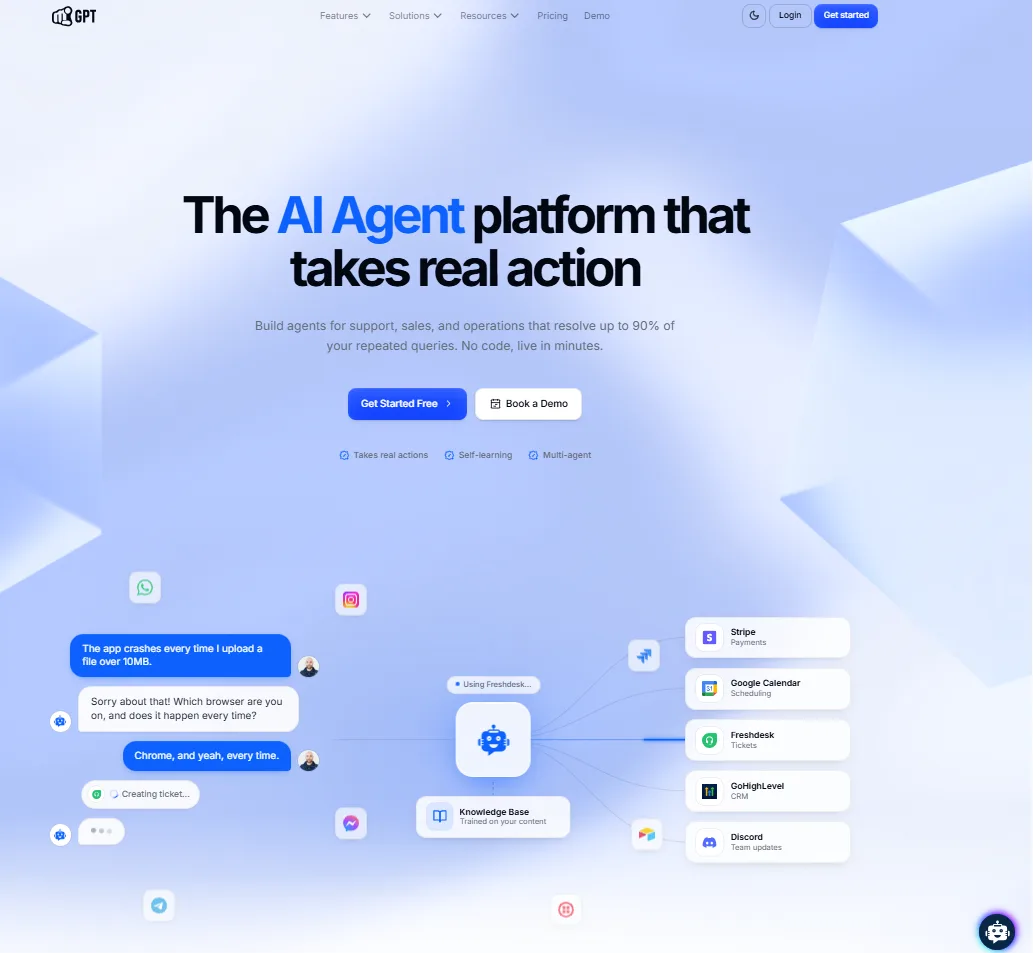
YourGPT is a no-code AI platform for customer service, sales, and operational automation. Teams can connect business data, policies, processes, and rules to create AI agents that handle customer queries, qualify leads, guide prospects, and perform actions across connected systems and APIs.
Its Autonomous AI has achieved over 90% resolution in production deployments. YourGPT also uses unresolved conversations and customer interactions to identify knowledge gaps and improve performance over time. Teams can start with a simple setup and expand into advanced workflows with model controls, multi-agent coordination, integrations, human handoff, and omnichannel deployment.
Pros
No-code setup for support, sales, and operational use cases
Executes multi-step actions across connected systems and APIs
Autonomous AI has achieved over 90% resolution in production deployments
Self-learning capabilities help identify and address knowledge gaps
Supports advanced integrations, model controls, and multi-agent workflows
Includes human handoff and omnichannel deployment options
Cons
Advanced integrations may require additional technical configuration
Broader workflow capabilities may be more than very small teams need
Pricing. Essential has 2 chatbots, 200 webpages, 20 documents, 10 million AI credits, and 3 team members. Professional ($79 annual, $129 monthly) has 5 chatbots, 500 webpages, 100 documents, 30 million credits, 5 members, self-learning, AI Helpdesk, and escalation. Advanced has 10 chatbots, 2,000 webpages, 500 documents, 100 million credits, 20 members, and advanced analytics. Enterprise adds custom deployment and a dedicated success team. There is no per-message charge; credits are the meter.
Reviews. YourGPT holds 4.9 on Product Hunt from 30 reviews and 4.7 on G2 from 29. Reviewers praise setup in minutes, responsive support, and the Crisp integration, and complain about pricing for very small businesses and a learning curve on advanced features. It is a small base, so weigh it as early signal.
Prove these before you sign
Run the same 50 real questions on the model you would deploy and a cheaper one, then compare credits used and answer quality.
Load your real documents and check the answers for made-up details.
Test one action, such as a booking or an order lookup, in your own tool.
3. Fin by Intercom
Best for: Support teams with a ticket queue that want to add an agent to the helpdesk they already run, priced per outcome.
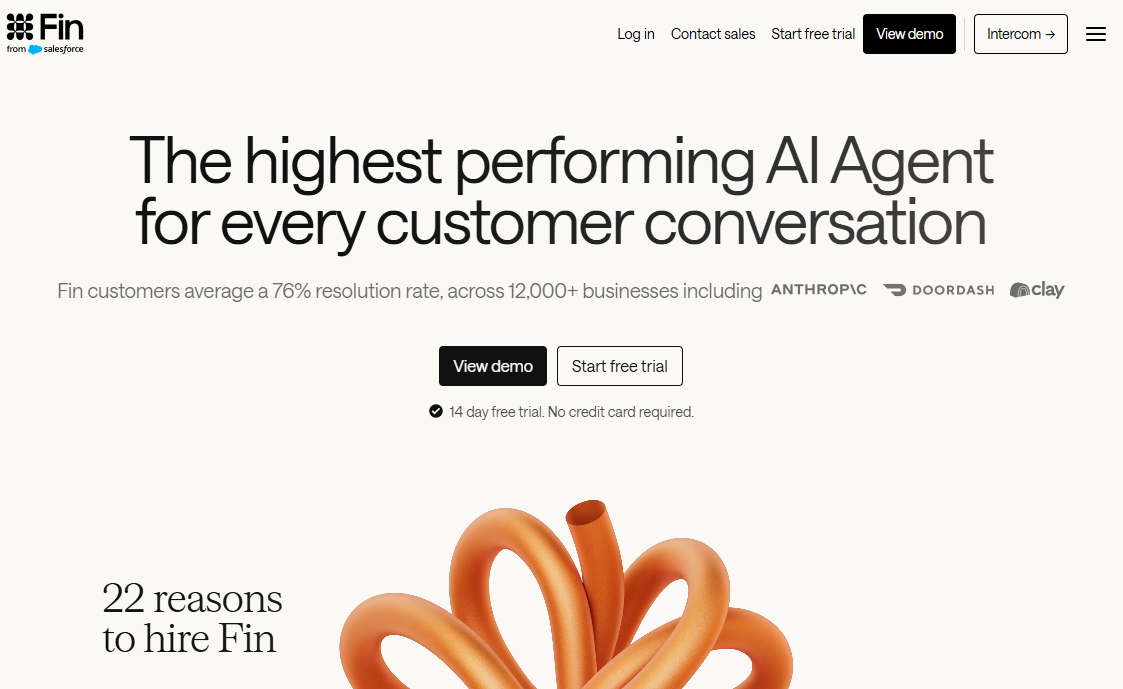
Intercom renamed its company Fin in May 2026, and the agent is now the center of the product. It runs inside Intercom's helpdesk or on top of others, including Salesforce, HubSpot, Freshworks, Front, and Zoho, across voice, chat, email, social, and Slack. Procedures configure multi-step workflows that finish with an action or a handoff, and simulations and regression tests check changes before customers see them. Intercom reports a 76% average resolution rate across its customers, which depends heavily on your knowledge base. Salesforce agreed in June 2026 to acquire the company, so ask about roadmap and pricing continuity before signing a long contract.
Pros
A 14-day trial with unlimited outcomes
Simulations and regression tests built in
The largest review base on this list, and it works with helpdesks other than Intercom's
Cons
The bill moves with volume and resolution rate, so it is hard to forecast
A resolution counts when no further help is requested, which makes silence a billing question
Fin Voice is custom-priced and offered to select customers, and the product centers on the helpdesk, not a booking calendar
Pricing. A billable outcome is a resolution, a Procedure handoff, a disqualification, or a self-serve routing at $0.99 each, and a qualification at $9.99. You are charged once per conversation, and usage alerts and limits can cap spend.
Reviews. Fin holds 4.5 on G2 from roughly 3,900 reviews as of August 2026, and about 4.5 on Capterra from around 1,100. The recurring complaint is cost predictability, not capability.
Prove these before you sign
Run simulations on last month's real conversations and read the misses, not just the rate.
Run a Procedure that ends in a handoff and read what the person receives.
Set usage limits and alerts before the first live week.
4. HubSpot Customer Agent
Best for: Teams whose customer records, tickets, and email already live in HubSpot and that want an agent resolving conversations with that context.
HubSpot's Customer Agent is part of its Breeze AI suite. HubSpot says the agent has access to each company's customer data, relationship history, and how the business works, so it can answer with account context instead of generic replies. It reports that the agent resolves 65% of conversations and cuts resolution time by 39% across more than 8,000 customers. HubSpot moved the agent to outcome-based pricing on April 14, 2026. Credits are the unit: $0.50 per resolution is 50 credits at $0.01 each, and you can set action-level credit limits.
Pros
The lowest per-outcome rate on this list
CRM, ticket, and email context already in one place
A free 28-day trial and credit limits you can set per action
Cons
It requires Service Hub Professional or Enterprise, so seats and onboarding fees sit on top of the per-resolution rate
A third-party analysis reports that a conversation counts as resolved when the visitor does not ask for a human within 72 hours
Included credits are modest, and most of the value depends on your data living in HubSpot
Pricing. Service Hub Professional is $90 per seat per month billed annually ($100 monthly) plus a one-time $1,500 onboarding fee. Enterprise is $150 per seat plus $3,500 onboarding. Monthly credits do not roll over: 3,000 on Professional, which cover 60 resolutions, and 5,000 on Enterprise. Extra credits cost $0.010 each.
Reviews. HubSpot Service Hub holds 4.4 on G2 from about 3,000 reviews, a rating that covers the whole Service Hub, not the Customer Agent alone. Reviewers cite limited customization on lower tiers, a steep learning curve, and pricing for advanced features.
Prove these before you sign
Set action-level credit limits before the first live week.
Test the agent on a customer whose CRM record is incomplete.
5. Gorgias AI Agent
Best for: E-commerce brands, especially on Shopify, that want an agent to handle order status, returns, cancellations, and subscription changes.
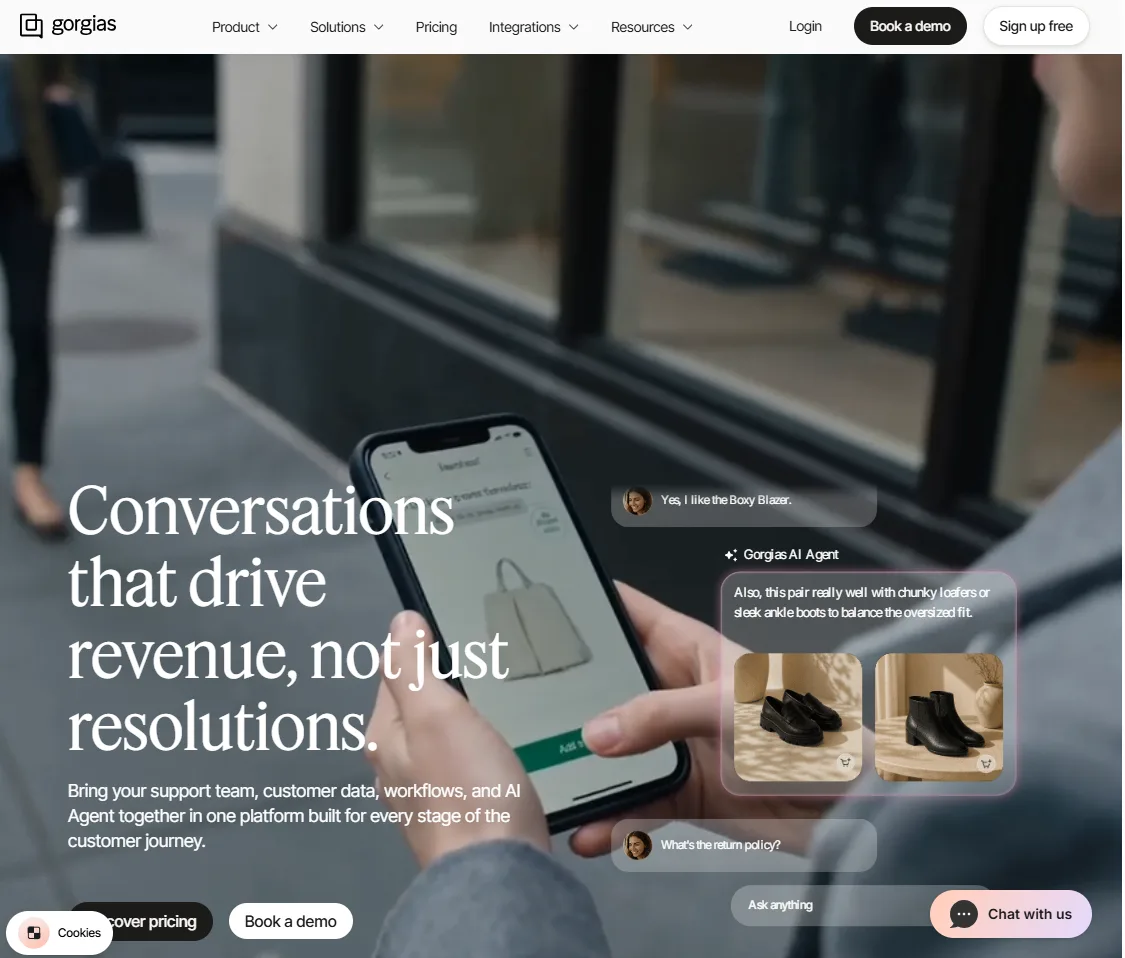
Gorgias is an e-commerce helpdesk, and its AI Agent resolves conversations across email, chat, and SMS. It offers tone customization, multi-language support, image recognition, and automated actions such as order cancellations, returns, and subscription changes. A billable interaction is counted only when the AI resolves a conversation entirely on its own, and Gorgias says a conversation handed to a person is not charged twice. The helpdesk scales from 50 to 5,000 tickets a month and is never priced per agent, and voice and SMS are add-ons that scale with volume.
Pros
Order actions that finish the job on Shopify stores
Billing only for conversations the AI resolves on its own
Helpdesk plans priced by ticket volume, not per agent
Cons
Shaped around e-commerce, so it fits appointment and non-store businesses poorly
Two meters: a ticket-based plan plus AI interactions, and G2 reviewers say ticket pricing climbs fast in peak seasons
Voice and SMS are add-ons, not part of the base plan
Pricing. Plans include 90 to 2,500+ automated interactions a month. Overage is $1.50 per interaction on Support plus Shopping Assistant plans, and $1.00 to $2.00 monthly or $0.83 to $1.67 annually on support-only plans. A third-party analysis lists helpdesk plans on annual billing at $10 (Starter, 50 tickets), $50 (Basic, 300), $300 (Pro, 2,000), and $750 (Advanced, 5,000), with monthly billing about 20% higher.
Reviews. Gorgias holds 4.6 on G2 from 582 reviews. Reviewers praise the Shopify integration and ease of use, and complain about ticket-volume pricing and knowledge-base setup.
Prove these before you sign
Run a cancellation and a return end to end in your own store.
Model your busiest month's ticket volume against the plan tiers.
6. Salesforce Agentforce
Best for: Teams that run Service Cloud and want agents acting on CRM records, flows, and business logic, with an admin who can configure them.
Agentforce is Salesforce's agent platform for service, sales, and field work. Salesforce's pricing page gives examples across customer self-service, case management, field service, IT support, and voice. G2 reviewers say the agents act directly on CRM data and reuse existing Flows, Apex, and business logic, which grounds answers in real company records. Actions are the building blocks, such as authenticating a customer from an email or retrieving order details.
Pros
Acts directly on Salesforce records without external integrations
Three published pricing models: per conversation, Flex Credits, or per user
A mature platform with a large review base
Cons
Reviewers say setup needs deep Salesforce admin expertise and can take weeks
Results depend on clean data, and reviewers say poor data hygiene makes agents unreliable
Consumption pricing is hard to budget, and the $2 is charged per conversation, not per resolution
Pricing. Flex Credits cost $500 per 100,000, and credits used vary by action, with voice actions on different multipliers. Agentforce add-ons for Sales, Service, and Field Service are $125 per user per month with unmetered usage, and industry add-ons are $150. Agentforce 1 editions start at $550 per user per month and include 2.5 million annual Flex Credits, and the Agentforce user license is $5 per user per month on top of Flex Credits.
Reviews. Agentforce holds 4.3 on G2 from 1,696 reviews. Reviewers praise the native Salesforce integration and the automation of repetitive work, and complain about configuration effort, data quality, unpredictable costs, and trial-and-error tuning.
Prove these before you sign
Have your admin build one topic with an action against a live record, and count the conversations or credits it consumes.
Run it on records with missing or messy data, and watch how it behaves.
7. Retell AI
Best for: Businesses that want a voice agent for inbound calls, appointment booking, and lead qualification, billed by the minute, and that have someone to configure it.
Retell AI builds voice agents. It says its agents can check availability and book appointments, transfer a call between AI and a human, answer from a knowledge base, navigate keypad menus, and run high-volume outbound campaigns. Listed integrations include Twilio, Vonage, Make, n8n, GoHighLevel, and HubSpot. Retell states compliance with HIPAA, SOC 2 Type II, GDPR, and ISO 27001, and claims about 600ms latency and 95.7% workflow accuracy in its own benchmark.
Pros
Transparent pay-as-you-go pricing with no annual contract
Booking, transfer, and knowledge-base answers included on every plan
A large review base, with 4.8 on G2 from 2,638 reviews
Cons
Voice only, with no chat or messaging thread
The per-minute rate swings with the voice and model you choose, and G2 reviewers say cost climbs at scale
Reviewers report a learning curve on advanced workflows and gaps in international numbers, and you assemble the calendar and CRM connections yourself
Pricing. The rate is built from parts: voice infrastructure at $0.055 per minute, text-to-speech at $0.015 to $0.040, language-model usage from $0.0016 to $0.38, and telephony at $0.015. Add-ons include the knowledge base at $0.005 per minute, denoising at $0.005, and PII removal at $0.01. Twenty concurrent calls are included, and extra concurrency is $8 a month.
Reviews. Reviewers praise ease of use, low latency, and integrations, and flag cost at scale and the learning curve.
Prove these before you sign
Run 20 calls that match your real mix, and price them at the model you would deploy.
Book on your live calendar, then transfer a call and check what the person receives.
How to evaluate AI agents before you buy
A vendor demo shows what the product can do under ideal conditions. A proper evaluation shows how it performs in your business.
Calculate the value of a completed request. For a booking-based business, that could be the revenue from a confirmed appointment or from filling a previously empty slot. Use a service pricing and margin calculator to estimate the value before comparing platform fees.
Test what happens on a busy day. Quiet conversations rarely reveal the biggest problems. Test how agents handle double-booking risks, different languages, VIP customers, and refunds during a busy Saturday. Use this AI receptionist demo checklist to cover the scenarios that matter.
Compare costs at your actual volume. Use the pricing table below to estimate the cost of handling 1,000 requests per month. Include usage fees, platform charges, and any additional costs. For LLDTEK, request a written quote so you can compare costs on the same basis.
Decide who handles exceptions. AI agents can manage routine requests and periods of high demand, but your team still needs to handle complex decisions, disputes, and cases that require human judgment. Assign clear ownership before launch. If you cannot define the agent's role or prove that it can handle the work reliably, read this guide on when not to deploy AI agents.
What you pay for: published pricing at 1,000 requests per month
Platform | You pay for | Implied monthly cost |
|---|---|---|
LLDTEK | As your business scales | Custom quote required |
YourGPT | AI credits on a monthly plan | $79 on Professional, annual; credit use varies by model |
Fin | Outcomes: resolutions, handoffs, disqualifications, routing | $990, plus $29 per seat on Intercom's helpdesk ($1,280 with 10 seats) |
HubSpot Customer Agent | Resolved conversations, 50 credits each | $470 after Professional's included credits, plus $900 for 10 Professional seats (annual) |
Gorgias AI Agent | Conversations the AI resolves on its own | About $1,200 on the Pro plan ($300 plus 1,000 at $0.90), before included interactions |
Salesforce Agentforce | Conversations at $2, or Flex Credits | $2,000 for 1,000 conversations at $2, before Service Cloud licenses |
Retell AI | Minutes | About $350 to $1,550 for 1,000 five-minute calls |
Three of these bill on a "resolved" conversation, and each defines it differently. Fin counts a resolution when no further help is requested. HubSpot is reported to use a 72-hour window. Gorgias counts only conversations the AI finishes entirely alone. Get the definition in writing, and test how a customer who goes quiet is billed. The units also differ, so treat the table as a floor for comparison, not a forecast.
Questions
Frequently asked questions
It is software that completes customer requests on its own, by acting inside your systems, and hands off to a person with context when a person should decide. Answering questions alone does not qualify.
Published per-outcome rates run from $0.50 (HubSpot) to $0.90 (Gorgias) to $0.99 (Fin). YourGPT starts at $39 a month, Salesforce Agentforce charges $2 per conversation, and Retell AI charges by the minute. LLDTEK quotes after a demo.
Vendors claim 65% (HubSpot), 76% (Fin), and up to 90% (YourGPT). Those describe their best customers. Measure your own number on a week of real requests, and treat the vendor figure as a ceiling.
Yes. LLDTEK and Retell AI are built around voice, YourGPT lists voice among its channels, and Fin Voice is offered to select customers. Ask each vendor to take a live test call on your own line.
Usually no. Agents cover repeatable conversations and overflow while people own the exceptions. Here is how an agent works alongside the person at the desk.
Vendor claims range from minutes for self-serve builders to several months for large enterprise programs. Trust a test on your own requests over any stated timeline.
Ask what the agent may do, what it must hand off, and which certifications the vendor holds. YourGPT lists SOC 2 Type II, GDPR, and ISO 27001, and Retell AI lists HIPAA, SOC 2 Type II, GDPR, and ISO 27001. Prefer platforms that scope actions to your menu, hours, and records over ones that improvise.
Final verdict
The right platform depends on where your requests end, not on which vendor posts the biggest resolution rate. If a request ends on a calendar, because a person wants a slot, a table, or a technician, LLDTEK is the closest fit here. It books against live availability, hands off with the full thread, and runs a real day on your floor before anyone is billed. If your requests end in a ticket queue, Fin has the largest review base on this list and bills per outcome. HubSpot Customer Agent suits teams whose customer data already lives in HubSpot, Salesforce Agentforce suits teams on Service Cloud, and Gorgias AI Agent suits Shopify stores.
The cheapest rate is not always the cheapest bill. HubSpot's $0.50 per resolution is the lowest on the list, but it needs Service Hub Professional seats and a $1,500 onboarding fee, so 1,000 resolutions with 10 seats lands near $1,370 a month against about $1,280 for Fin on Intercom's helpdesk. If you would rather build and tune the agent yourself, YourGPT offers a 7-day trial across web, messaging, and phone, and Retell AI fits a phone line billed by the minute if someone on your team can configure it.
Whichever you shortlist, run a week of real requests through it and divide the bill by the requests that finished without a person. That number, not a vendor's headline rate, tells you which platform wins for you.
Updated Oct 19, 2026.